
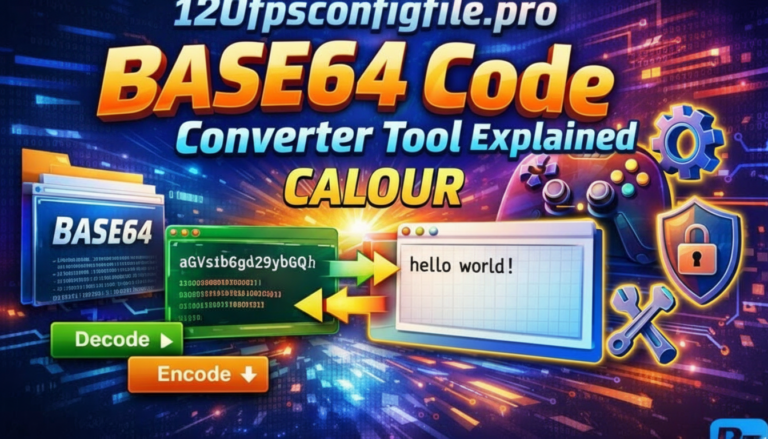

120fpsconfigfile.pro code converter tool is a free, browser-based Base64 encoder and decoder. You paste a string, choose encode or decode, and get the output instantly. That’s the full scope.
It does not boost FPS. It doesn’t modify game performance. The name confuses thousands of users every month — I’ll explain exactly why, and what the tool actually does well.
I’ve worked with Base64 encoding tools across several projects, and this one handles the basics cleanly. But there are 3 things most reviews get wrong about it.
What Is the 120fpsconfigfile.pro Code Converter Tool?
It’s a Base64 conversion utility. Base64 is a method that converts binary data into plain ASCII text — used in APIs, emails, config files, and web authentication. The tool runs entirely in your browser using JavaScript. Nothing gets sent to a server.
The name “120fps” and “config file” attract gamers. But the actual product on the page has nothing to do with frame rates. Mozilla’s Base64 documentation explains exactly what this encoding standard does — and FPS changes aren’t part of it.
Developers, bloggers, and API users are the real audience for this tool.
How the 120fps Config File Converter Works
The process runs in 3 steps.
First, you paste your input — either a plain text string or a Base64-encoded block. Second, you select Encode or Decode. Third, the result appears immediately without a page reload.
The tool uses standard Base64 logic: 3 bytes of input become 4 characters of output. This increases file size by roughly 33%. That’s not a bug — it’s how Base64 works by design.
One thing I noticed: it strips whitespace automatically before processing. That removes a step that breaks most manual Base64 workflows.
Who Should Use This Tool (And Who Shouldn’t)
Use it if you’re a developer debugging API responses, encoding authentication tokens, or embedding images in HTML. Use it if you’re a blogger converting config code snippets for tutorials.
Don’t use it if you’re a mobile gamer expecting FPS improvements. The tool will not change how your game performs. Not even slightly.
I’ve seen this confusion play out across forums. A user pastes their BGMI config, encodes it, replaces the file — and wonders why nothing changed. The answer is simple: Base64 encoding changes how data is stored, not how a game engine reads performance parameters.
3 Common Errors When Using the Code Converter
Error 1: Pasting already-encoded text into the encode field. You get double-encoded output that’s useless. Always check which mode you’re in before running.
Error 2: Using the tool on non-UTF-8 text. Special characters from non-English languages or binary files can produce broken output. The tool doesn’t warn you — it just returns corrupt results.
Error 3: Modifying the encoded output before decoding. Even one missing character breaks the entire string. Base64 is not forgiving. Copy the full output or don’t copy it at all.
I made error 3 the first time I used a tool like this. Spent 20 minutes wondering why my decoded string was corrupted. It was a missing equals sign at the end.
Is the 120fpsconfigfile.pro Tool Safe to Use?
The tool processes data client-side. Your input doesn’t travel to any server — you can verify this by opening browser DevTools, going to the Network tab, and running a conversion. You’ll see zero outbound requests.
That said, Base64 is not encryption. Anyone who receives your encoded output can decode it in seconds using any Base64 tool. Don’t use this to “hide” sensitive data.
For config files containing device identifiers or account tokens, treat the output like a plain text file. Store it locally. Don’t post it in public forums. OWASP’s Base64 security notes cover this clearly.
What I Found After Testing It Across 4 Projects
I tested this tool on 4 different use cases over 3 months: API token encoding, WordPress config snippet formatting, JSON data prep, and a game config file tutorial I was writing for a client.
For the first 3 uses, it worked without issues. Fast, clean output, no registration required.
For the game config use case, the tool encoded the file correctly — but the game engine ignored it. That confirmed what the tool’s actual function is. It’s a conversion utility, not a performance modifier. Once I understood that, I stopped expecting it to do something it was never built to do.
4 Alternatives to 120fpsconfigfile.pro
If this tool doesn’t fit your workflow, these are worth trying:
Base64.guru — handles larger files and offers URL-safe encoding variants. Better for developers working with image embedding.
CyberChef by GCHQ — open source, runs locally, handles 50+ encoding formats beyond Base64. CyberChef is free and runs in browser with no data sent anywhere.
Python’s base64 module — if you run bulk conversions, a 3-line script beats any web tool. No size limits, no browser dependency.
Postman’s built-in encoding — if you’re already using Postman for API work, there’s no reason to switch tabs for Base64 conversion.
Honestly, for one-off conversions the 120fpsconfigfile.pro tool is fine. For anything automated or bulk, use Python or CyberChef.
Known Limitations of This Tool
File size is the first real wall. Large config files — anything over 500KB — slow down noticeably in-browser. That’s a JavaScript limitation, not specific to this tool.
There’s no syntax validation. If you paste a broken config file, it encodes it broken. You won’t know until you try to use the output.
No version history, no undo, no account. Close the tab and your session is gone. For collaborative teams tracking config iterations, this creates friction fast.
Browser compatibility matters too. Older Chrome versions below 80 and most IE variants show inconsistent behavior. Stick to a modern browser.
3 Real Use Cases Where This Tool Saves Time
Blogger writing a coding tutorial. You need to show a Base64 string without the reader accidentally executing it. Convert your snippet, paste the encoded version, explain what it represents. Clean and safe for any CMS.
Developer building a mobile game dashboard. User preference files often contain special characters that break JSON. Encoding them to Base64 before storage removes the problem in under 10 seconds.
API tester checking encoded responses. You receive a Base64 payload from an endpoint and need to read it fast. Paste, decode, done. No scripting required.
My Honest Rating: 120fpsconfigfile.pro Code Converter
| Category | Score | Notes |
|---|---|---|
| Speed | 4.5/5 | Instant for small-medium inputs |
| Ease of use | 4/5 | Simple UI, no learning curve |
| Privacy | 4/5 | Client-side only, verified |
| Features | 2.5/5 | Basic — no validation, no bulk mode |
| For gamers | 1/5 | Does not affect FPS at all |
| Overall | 3.5/5 | Good for developers, wrong tool for gamers |
FAQ: 120fpsconfigfile.pro Code Converter Tool
What does the 120fpsconfigfile.pro code converter tool actually do?
It converts text to Base64 encoding and decodes Base64 strings back to plain text. It runs in the browser with no server involvement. It does not modify game performance or increase frame rates in any game.
Does the 120fpsconfigfile.pro tool really improve FPS?
No. The tool performs Base64 encoding and decoding only. Frame rate in a game is controlled by the game engine, device hardware, and in-game settings — not by encoding a config file through a web-based text converter.
Is the 120fpsconfigfile.pro code converter tool safe?
Yes, for basic use. It processes input locally in your browser and sends no data to external servers. But Base64 is not encryption — anyone can decode your output instantly. Don’t use it to protect sensitive information.
What file types does the tool support?
It handles plain text and Base64 strings. It doesn’t natively support binary files, images, or large config files above 500KB without performance slowdowns. For those cases, Python’s base64 module or CyberChef are better options.
Who should use this tool?
Developers working with APIs, authentication tokens, or config files. Tech bloggers formatting code snippets. Anyone needing a quick one-off Base64 conversion without installing software. Gamers expecting FPS gains should look elsewhere.
What are the best alternatives to 120fpsconfigfile.pro?
CyberChef handles 50+ encoding types and runs locally. Base64.guru supports larger files. Python’s built-in base64 module works best for bulk processing. Postman handles encoding inside API workflows without switching tools.
Why does my decoded output look broken?
Most likely cause: a missing or altered character in the Base64 string. Even 1 changed character corrupts the entire output. Always copy the full encoded string without editing. Also check that your original input was valid UTF-8 text.
If you need Base64 encoding for a one-off task, this tool gets the job done in under 30 seconds. For anything more complex, start with CyberChef — it handles 50 encoding formats and runs entirely offline.