


The definitive guide for teachers, parents, school staff, and anyone confused by references to BLT online — including the facts most other articles get wrong.Education Research & Analysis · Last reviewed April 2026
⚠ Important — Read This First
Bucks Learning Trust (Buckinghamshire Learning Trust) isno longer operational. It ceased trading in March 2019 and was formally dissolved in March 2023. Any article, portal, or website treating it as an active organisation is out of date. This guide explains what happened and where to turn now.
What Was Bucks Learning Trust?
Bucks Learning Trust — formally registered as Buckinghamshire Learning Trust — was an independent educational support organisation based in Buckinghamshire, England. It was not a school. It did not own or operate schools. It was a service provider: a charitable company set up to support schools, school leaders, governors, and early years settings across the county.
At its peak in 2017, it was a substantial presence in the region. It provided governor support services to 97% of Buckinghamshire schools, employed nearly 300 people, and operated from a learning campus in Aylesbury. For many schools, it was the first call for CPD, safeguarding training, school improvement advice, and leadership coaching.
Organisation at a Glance
- Full Name Buckinghamshire Learning Trust
- Short Name BLT / Bucks Learning Trust
- Type Educational charity & social enterprise
- Founded January 2013 (fully operational September 2013)
- Purpose School improvement, CPD, governor support, early years services
- Ceased trading March 2019
- Dissolved 5 March 2023 (Companies House)
- Status now Closed. No longer operational.
Was BLT the Same as an Academy Trust?
No, and this is one of the most common points of confusion. A multi-academy trust (MAT) owns and operates schools. Bucks Learning Trust did neither. It was a support and services organisation — external to schools, contracted by them. When the trust disappeared, no school “changed hands.” Schools simply lost access to the services BLT had been providing.
What Did Bucks Learning Trust Actually Do?
Its services covered the full range of what schools typically buy in from external providers. In broad terms:
School Improvement Support
BLT reviewed classroom practice, advised on curriculum development, and helped schools prepare for Ofsted inspections. This included diagnostic reviews, improvement planning, and working alongside leadership teams over extended periods.
Professional Development (CPD) for Teachers and Staff
The Trust ran training programmes covering safeguarding, SEND, behaviour, attendance, early career support, subject knowledge, and operational training for admin and HR staff. CPD was delivered in person, in cohorts, and latterly through blended formats.
Governor and Trustee Support
At its largest, BLT provided governor services to 97% of schools in Buckinghamshire. This included induction training, strategic planning support, safeguarding guidance, and help with statutory responsibilities. For many governing bodies, BLT was their primary external resource.
Early Years Support
Nurseries and early years settings could access guidance on best practice, curriculum development, and regulatory compliance through BLT. This was a meaningful part of the offering for smaller settings that lacked in-house expertise.
International Work
Later in its operation, BLT extended its services internationally, working with schools in the Middle East including Bahrain, Qatar, and the UAE. This was part of an attempt to diversify income after its main Buckinghamshire contract ended.
Why Did Bucks Learning Trust Close?
“In 2017, it served 97% of the county’s schools and employed nearly 300 people. Two years later, it was gone.”
The closure was not the result of poor teaching or educational failure. It was a structural and financial collapse driven by a set of policy changes that made the organisation’s business model unworkable.
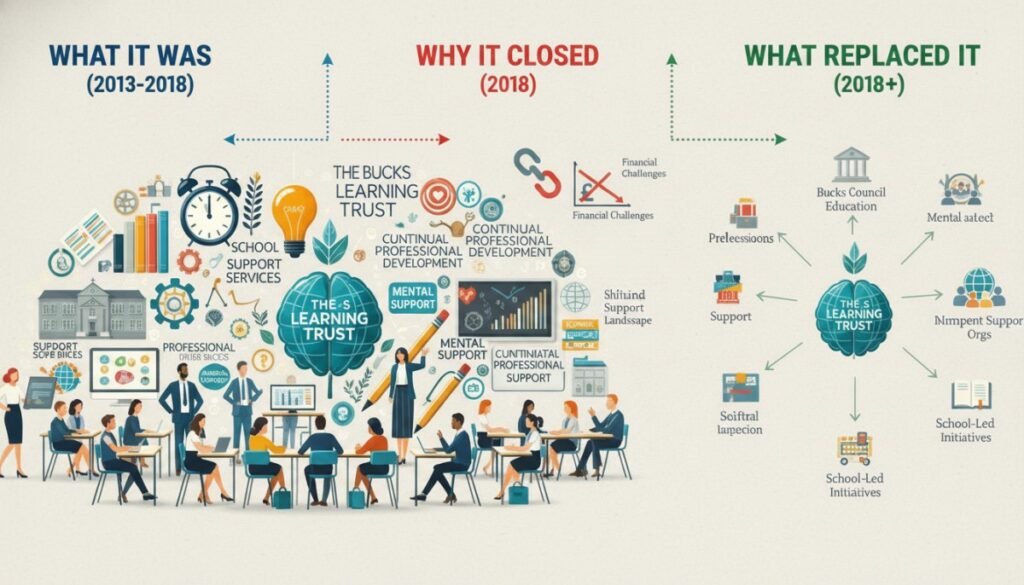
- 2013 BLT is established to take over services previously run directly by Buckinghamshire County Council. It begins operating with strong funding and a wide mandate.
- 2017 Peak operations — governor services to 97% of county schools, nearly 300 staff. BLT is central to school improvement across Buckinghamshire.
- 2018 BLT’s main contract with Buckinghamshire County Council comes to an end. Services contracted by the council transfer back to County Hall. BLT attempts to pivot to national and international work.
- March 2019 BLT ceases trading. Trustees confirm they were unable to secure its future despite exploring multiple options. Around 200 schools had still been buying governor support services in the preceding year. Headteachers scramble to rearrange prepaid events, including a speaker booking worth £250 per head.
- 5 March 2023 The company is formally dissolved. The Companies House entry moves to “Dissolved” status. BLT ceases to exist as a legal entity.
The Underlying Causes
Three pressures combined to make BLT’s model unsustainable:
Loss of the council contract. BLT was originally created to run services outsourced by Buckinghamshire County Council. When that contract ended in 2018, the guaranteed income base that had funded operations disappeared almost overnight.
The academy trust shift. As more schools joined multi-academy trusts, those trusts began providing improvement support, CPD, and governance advice internally. Schools that once bought these services from BLT no longer needed to — their MAT covered them. This permanently eroded the market BLT depended on.
National funding cuts. Reductions to the Education Services Grant and broader pressure on local authority budgets reduced what councils could commission from organisations like BLT, narrowing the financial runway further.
What Replaced Bucks Learning Trust? Where to Get Support Now
After BLT’s closure, Buckinghamshire County Council stepped back in to ensure continuity for maintained schools. Some essential statutory services moved back in-house to County Hall. However, the landscape changed permanently — schools now navigate a more fragmented range of providers rather than a single central organisation.
Where to Look for School Support in Buckinghamshire Now
- Buckinghamshire Council’s Traded Services — The council provides a range of school-facing services including school improvement, specialist teaching, data and business intelligence, and education visits support. These are available at tradedservices.buckinghamshire.gov.uk.
- Your Multi-Academy Trust (if applicable) — For academy schools, CPD, safeguarding training, governor support, and improvement services are typically coordinated centrally through the MAT’s own team.
- National College / other CPD platforms — Various national providers offer online CPD for school staff, including safeguarding, SEND, and leadership programmes.
- Teaching School Hubs — Government-designated Teaching School Hubs deliver early career frameworks (ECF) and NPQ programmes. Find your local hub via the DfE.
- Oxford Diocesan Bucks Schools Trust (ODBST) — A local multi-academy trust operating schools across Buckinghamshire, providing its own internal support infrastructure.
If You Were Sent Here by a School or Employer
If a school, employer, or training email pointed you toward “Bucks Learning Trust” for a login portal, course access, or training record — you may be looking for the wrong organisation. Here is what to do:
Check the email you received. Look at the actual domain name in any links. If it doesn’t go to a .gov.uk, a known MAT domain, or a recognised CPD platform, treat it with caution. BLT’s old domains are no longer controlled by the organisation.
Contact your school’s CPD lead or HR directly. They will know which platform your training is hosted on and can give you the correct login link. Do not try to guess a URL based on “Bucks Learning Trust.”
Be aware of phishing risk. Defunct organisation names are sometimes used in phishing emails to appear familiar. If you receive an unexpected email claiming to be from BLT, requesting login details or personal information, do not click any links. Contact your school office directly to verify.
For Parents: What to Do If BLT Is Mentioned in a School Letter
If a letter from your child’s school mentions Bucks Learning Trust, it is almost certainly a legacy reference — an old template, a historical document, or a mistake. The organisation has not existed since 2019.
If you are unsure what a programme or service is, the right approach is always to contact the school directly and ask for a clear explanation in plain English. You are not being awkward; you are asking a reasonable question. Any school should be able to tell you who is delivering a programme, who funds it, and what data — if any — is being collected about your child.
Lessons From BLT’s Closure: What It Means for School Support Today
The story of Bucks Learning Trust is not just historical trivia. It is a live case study in what happens when school improvement services depend on a single funding relationship. When the council contract ended, BLT had insufficient diversification to survive. The 200-odd schools still buying services had no safety net.
The questions BLT’s collapse raises remain unresolved. How should maintained schools — particularly smaller primaries without a MAT behind them — access affordable, high-quality external support? Who fills the gap left by organisations like BLT in areas where academy trusts are not dominant?
For school leaders, the practical takeaway is straightforward: when contracting any external provider, understand their financial model, ask about their continuity plans, and keep records of any training your staff complete — because if the provider disappears, your certificates and completion records may go with them.
| Point | Info |
|---|---|
| Type | Education support trust |
| Start | 2013 |
| End | 2019 |
| Goal | Improve schools |
| Services | Training + support |
| Closure Reason | Financial + system changes |
Frequently Asked Questions
Is Bucks Learning Trust still active in 2026?
No. Bucks Learning Trust ceased trading in March 2019 and was formally dissolved on 5 March 2023 according to Companies House. It no longer exists in any operational form.
What is the difference between Bucks Learning Trust and Buckinghamshire Learning Trust?
They are the same organisation. “Bucks Learning Trust” was the common shorthand for Buckinghamshire Learning Trust, registered charity number 1151135 and company number 08353197. Both names refer to the now-dissolved entity.
Why did Bucks Learning Trust close?
The closure resulted from a combination of factors: the end of its main contract with Buckinghamshire County Council in 2018, reduced demand as more schools moved support services in-house through their multi-academy trusts, and cuts to national education funding streams including the Education Services Grant.
Who replaced Bucks Learning Trust?
There is no single replacement. Services have been absorbed by Buckinghamshire Council’s traded services team, individual multi-academy trusts, national CPD providers, and Teaching School Hubs. The support landscape is more fragmented than it was during BLT’s operation.
Can I still access my CPD certificates from BLT training?
BLT’s systems and records no longer exist under its management. If you need historical evidence of training completed through BLT, you should check any emails you received at the time, look for PDF certificates saved locally, or check with your school’s HR or admin team who may have retained records.
Is Bucks Learning Trust the same as an academy trust?
No. Bucks Learning Trust never owned or operated schools. It was an external support provider and educational charity. Academy trusts are governance structures that run schools directly — BLT was not this type of organisation.
Where can Buckinghamshire schools get CPD and school improvement support now?
Options include Buckinghamshire Council’s traded services (tradedservices.buckinghamshire.gov.uk), your multi-academy trust’s central team if applicable, government-designated Teaching School Hubs for ECF and NPQ programmes, and national online CPD platforms.
Sources: Companies House (company 08353197), Schools Week reporting on BLT liquidation, Charity Commission register (charity 1151135), Buckinghamshire Council traded services. This article was last reviewed April 2026. It will be updated if any material facts change.