


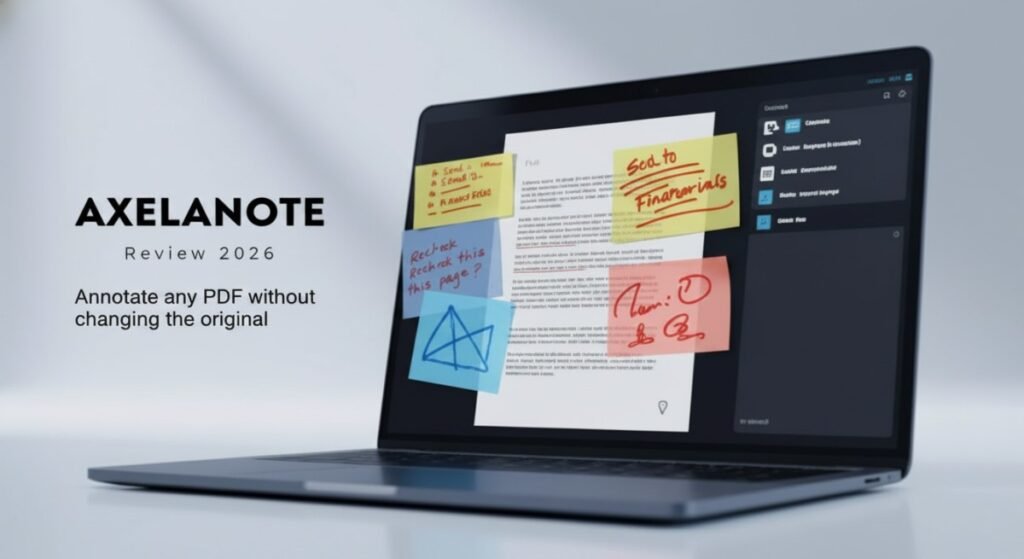
If you have ever received a locked PDF you could not mark up, or lost track of which version of a document contains your team’s comments, Axelanote was built to solve exactly that problem. Axelanote is a Windows PDF annotation tool that writes your notes on a transparent overlay, keeping the original file completely untouched. That means you can annotate restricted, permission-locked, or court-sealed documents in 2026 without altering a single byte of the source file. This review covers every major feature, exact pricing, honest limitations, and a direct comparison with Adobe Acrobat and other alternatives so you can decide whether it fits your workflow. [INTERNAL LINK: best PDF tools for professionals 2026]
Key takeaways
- Axelanote annotates any PDF, including locked and restricted files, without changing the original
- Overlay system keeps source documents intact for legal, engineering, and regulated workflows
- Windows only — no Mac or Linux client available in 2026
- User license costs $25.50 per year; device license costs $35.37 per year
- 30-day free trial available before committing to a paid plan
What is Axelanote and who is it for
Axelanote is a non-destructive PDF annotation tool developed by TransRecog. Instead of editing the PDF itself, it places a transparent layer on top of the document where all your highlights, drawings, and notes live. The original file stays read-only on your disk at all times.
Three types of users get the most value from it:
- Students who need to annotate lecture slides and textbooks without printing them
- Professionals in law, engineering, research, and finance who review PDFs where modifying the original is not an option
- Remote teams who need to collaborate on shared documents without creating conflicting file versions over email
If you work primarily on Windows and deal with PDF-heavy workflows daily, Axelanote is worth testing. If your team uses macOS or works cross-platform, the Windows-only limitation is a significant barrier. [INTERNAL LINK: PDF annotation tools compared 2026]
Key features
Non-destructive overlay system
Every annotation you add sits on a separate layer above the document. The original PDF is never changed. You can turn layers on or off, color-code them by reviewer or project, and share them independently from the source file. This is the feature that separates Axelanote from standard PDF editors like Adobe Acrobat, which embed changes directly into the file.
Works on restricted and locked PDFs
Security settings that block editing, copying, or printing do not affect Axelanote. It annotates freely on its overlay layer while leaving the document’s original permissions fully in place. This makes it particularly useful for legal filings, court-sealed documents, and client-protected files. [EXTERNAL LINK: https://axelanote.com]
Stylus and handwriting support
Axelanote is optimized for pen-enabled Windows devices. Surface Pro and Wacom tablet users get pressure-sensitive handwriting with palm rejection that feels natural rather than jagged. Mouse input works too, but stylus input is where the experience is strongest.
Multi-layer management
You can add multiple annotation layers on the same document, assign different colors to different reviewers or topics, and toggle visibility per layer. This makes peer review and team annotation manageable without creating separate file versions.
Automatic numbering and CSV export
For professionals working with sequential documents like inspection reports or legal exhibits, the automatic numbering feature generates sequential labels (①, ②, ③) and saves significant time. Annotation data can also be exported as CSV files for analysis or record-keeping in spreadsheets.
Collaboration and sharing
Axelanote lets teams share annotation layers without sharing the source document. Recipients can open the overlay in Axelanote or view a merged PDF if they do not have the app installed. Permissions control who can edit versus who can only view, and audit logs record who exported or shared annotated versions.
System requirements
Before installing, confirm your machine meets these requirements:
- OS: Windows 10 or Windows 11
- Processor: Intel Atom x7-Z8700 minimum, Core i5 recommended
- RAM: 4GB minimum, 8GB recommended
- Display: 1280 x 1024 or higher
- Software: Adobe Acrobat Reader DC or 2017 must be installed
- Internet: Required for license verification
- Document capacity: Up to 500 pages per document, up to 2,000 annotation objects per page
- Multi-monitor: Supported
- Page size: Handles pages up to 1 square meter
Axelanote vs competitors
| Feature | Axelanote | Adobe Acrobat Pro | Foxit PDF Editor | OneNote |
|---|---|---|---|---|
| Non-destructive overlay | Yes | No | No | No |
| Works on restricted PDFs | Yes | Limited | No | No |
| Stylus optimization | Yes | Partial | Partial | Partial |
| CSV annotation export | Yes | No | No | No |
| Multi-layer management | Yes | No | No | No |
| Windows only | Yes | No | No | No |
| Starting price per year | $25.50 | $239.88 | $79.99 | Free |
Adobe Acrobat Pro remains the industry standard for full PDF editing, OCR, and conversion, but it edits the file directly and costs significantly more. Foxit PDF Editor offers a lower-cost alternative with good cross-platform support but lacks a true non-destructive overlay mode. OneNote is free and excellent for general note-taking but has no native PDF layer system and cannot handle restricted documents. [EXTERNAL LINK: https://www.adobe.com/acrobat/pricing.html]
Pricing
Axelanote offers two annual license options:
| License type | Price per year | Best for |
|---|---|---|
| User license | $25.50 + tax | Individuals using personal devices |
| Device license | $35.37 + tax | Shared machines in labs or training rooms |
The user license covers one person across their personal computers and laptops. The device license covers one shared machine where multiple people work at different times. A 30-day free trial is available before committing to either plan. Enterprise pricing with volume discounts, SSO, and admin controls is available on request from TransRecog directly. [EXTERNAL LINK: https://axelanote.com]
Honest limitations
Axelanote is not for everyone. These are the real constraints to know before you commit:
- Windows only. No native Mac, Linux, or mobile client exists in 2026. Cross-platform teams must rely on exported flattened PDFs.
- Requires Adobe Acrobat Reader. You must have Acrobat Reader DC or the 2017 version already installed. This adds a dependency some users would prefer to avoid.
- No real-time simultaneous editing. Collaboration is asynchronous. Team members annotate separately and share layers, but two people cannot edit the same layer at exactly the same moment. On slow connections, edits queue and sync when reconnected.
- Learning curve for layer management. First-time users typically need 20 to 30 minutes of practice before the layer system feels natural.
- Performance on very large files. Lag can occur when many overlay layers accumulate or when annotating documents over 300 pages. Splitting large files before annotating helps.
Security and privacy
Axelanote stores annotations in a separate sidecar file rather than modifying the source PDF. Local-only storage is the default on Windows. When cloud sync or backup is enabled, it uses TLS encrypted transfer and AES-256 encryption for stored annotation files at rest. Audit logs record who exported or shared annotated versions when enterprise logging is enabled.
For sensitive regulated documents, the local-first approach means your PDFs and annotations never leave your machine unless you choose to share them. [INTERNAL LINK: PDF security best practices for legal teams]
Real user feedback
Professionals in legal, engineering, and academic environments report that Axelanote fits review-heavy workflows well. The most consistent praise is for the overlay system — users appreciate that original PDFs remain unaltered for records and compliance purposes.
Reported issues include occasional UI lag on very large files and a moderate learning curve for the layer system. Both are manageable: splitting large files reduces lag, and the community forum and step-by-step guides help new users adopt shortcuts quickly.
The Windows-only limitation is the most frequently cited frustration, particularly for teams with mixed operating systems. The workaround — exporting flattened PDFs for Mac or mobile colleagues — works but removes the editable overlay for those recipients.
Final verdict
Axelanote solves a specific and real problem: annotating PDF documents, including restricted ones, without modifying the original file. For Windows users who work with PDF-heavy workflows daily — legal professionals, engineers, researchers, and students — it delivers a level of document safety that standard PDF editors simply do not offer.
The $25.50 per year user license is competitive, especially compared to Adobe Acrobat Pro at nearly $240 per year. The 30-day free trial makes it low risk to test on a real project before committing.
The Windows-only limitation is the biggest barrier for cross-platform teams. If your entire team runs Windows and you frequently annotate sensitive or restricted documents, Axelanote is one of the most practical annotation tools available in 2026.
Best for: Legal professionals, engineers, researchers, and students on Windows who need to annotate PDFs without altering the original file. Not ideal for: Mac users, Linux users, or teams needing real-time simultaneous co-editing.
Frequently asked questions
Does Axelanote work on Mac? No. Axelanote is a Windows-only application in 2026. There is no native Mac or Linux client. Mac users can only view exported flattened PDFs shared by Windows users running Axelanote.
Can Axelanote annotate password-protected or locked PDFs? Yes. Because Axelanote writes on a transparent overlay rather than editing the PDF itself, it can annotate restricted and permission-locked documents without bypassing or altering the original security settings. The source file remains fully intact.
How much does Axelanote cost in 2026? Axelanote offers two annual licenses. The user license costs $25.50 per year and covers one person across their personal devices. The device license costs $35.37 per year and is designed for shared machines. A 30-day free trial is available at axelanote.com.
What is the difference between the user license and device license? The user license is tied to one person and covers their personal computers and laptops. The device license is tied to one specific machine and works for shared environments like labs, training rooms, or 24-hour workstations where multiple people use the same computer at different times.
Does Axelanote require an internet connection? An internet connection is required for license verification. Once verified, Axelanote supports offline annotation by default, which makes it suitable for on-site work with sensitive documents that should not be uploaded to cloud services.
How does Axelanote compare to Adobe Acrobat? Adobe Acrobat Pro edits PDF files directly and costs around $239.88 per year. Axelanote annotates via a non-destructive overlay and costs $25.50 per year. For users who only need to mark up and review PDFs without full editing capabilities, Axelanote is significantly cheaper and safer for document integrity. [INTERNAL LINK: Adobe Acrobat vs Axelanote full comparison]